
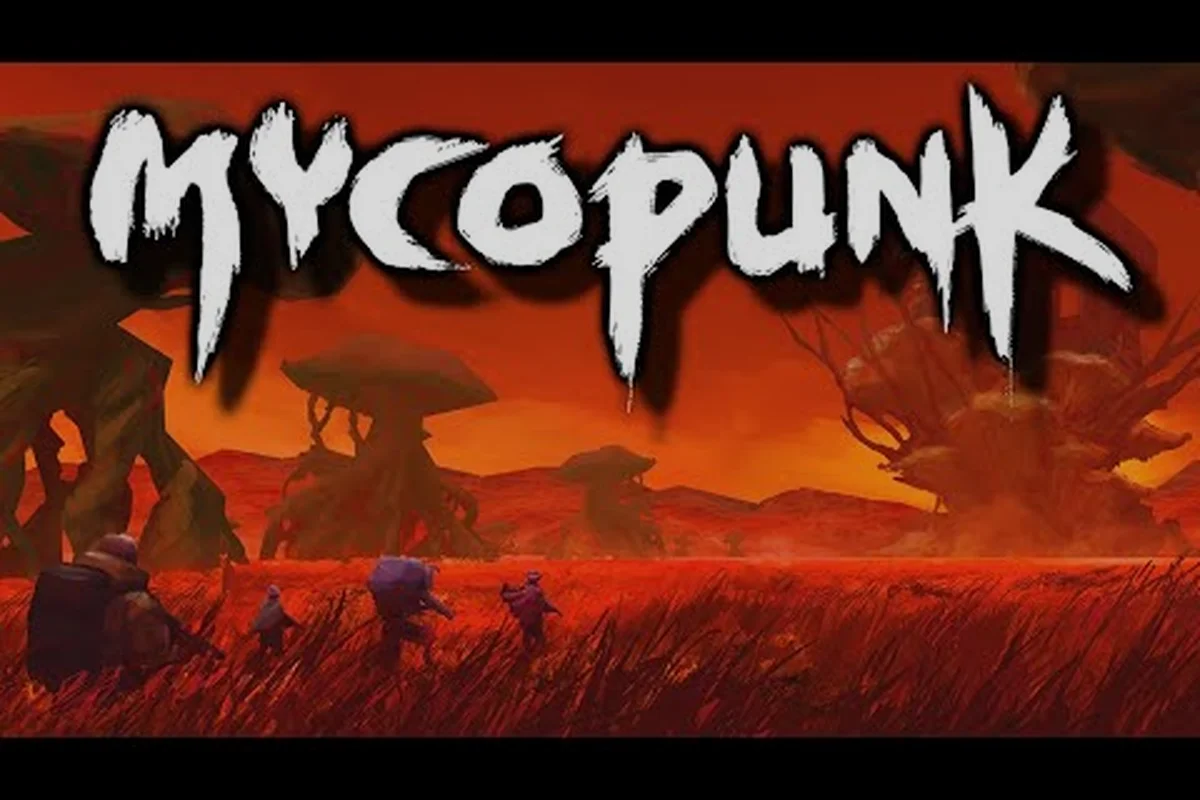
The HUB dropship hums, the cargo screen lights up, and your first hour in Mycopunk is a small fuse that decides whether the rest of the night is a clean run or a string of lost loadouts. Most new players stumble through the same handful of avoidable errors in their first hour, because the game hands you four starting weapons, a hex grid of upgrades you have never seen, and a mission board with too many names. This Mycopunk starter guide focuses on the very first decisions — which mission to queue, which upgrades to chase, and which pitfalls to side-step — so you leave the orbital drop ship with a build that actually works on the surface of New Atlas.
Your First Drop In: Picking The Right Opening Mission
The HUB's mission board is the single biggest influence on your first hour, and most new players pick whatever looks loudest. According to the official Steam page and the in-game mission type list, Mycopunk ships with fourteen named mission types, but only a subset of them make sense for a brand-new employee with starter gear. The ones you should treat as "default openers" are Ground Zero, Paid Time Off, Planetary Defense, and the lower threat levels of Saxonite Transport.
Mission type is not the only dial. The mission board also surfaces threat level 1-7 and rotating mission modifiers, and a few of those modifiers are genuinely hostile to a fresh loadout. A level-1 Incursion, for example, is locked behind player level 13 anyway, so attempting to queue for it at level 1 simply fails. That same rule quietly protects you from a bad first hour more than any guide can.
Recommended Opening Mission Order
The table below lays out a sensible first-hour rotation. It is built around regions and mission types the official 1.0 launch materials have confirmed, with threat levels that match the enemy's stated damage scaling rather than invented numbers.
| Order | Mission Type | Region | Threat Range | Why It Suits A First Hour |
|---|---|---|---|---|
| 1 | Ground Zero | Gravity Farm(s) | 1-2 | Tutorial-flavoured intro, low enemy density, hands you your first pattern slots |
| 2 | Paid Time Off | Moldy Tundra | 1-3 | The official launch trailer highlights it, and it teaches drop-pod flow without modifier pressure |
| 3 | Saxonite Transport | Gravity Farm(s) | 2-3 | Short, route-based run that pays out Saxonite, the resource you spend in the HUB |
| 4 | Planetary Defense | City / Titan City | 2-4 | Introduces objective defense with enough enemy pressure to test your weapons |
If you are playing solo and the squad browser is empty, queueing for these at threat 2 instead of threat 3 is the single most forgiving decision you can make. A higher threat does not give meaningfully better loot for a first-hour player, because the upgrade rotation unlocks (Standard at level 3, Rare at 8, Epic at 16, Exotic+ at 30) are gated by your character level, not the mission you happen to be in.
The Missions To Avoid In Hour One
Several of the early HUB board entries in Mycopunk look approachable at a glance but quietly demand roster depth, gear score, or a specific unlock you simply do not have when the first hour begins, and committing to them burns roughly 20–30 minutes of run time on a guaranteed wipe or a failed primary objective. Treat the board as if it were filtered for your current threat level, and only queue into missions your three-starter squad plus their default weapons can plausibly clear without respawn chains.
-
Ouroboros and Ouroboros Blitz — the roguelike mode. Ouroboros Blitz is a 13-room short variant, but the run format is punishing without a tested build.
-
Amalgamation Hunt and Abomination Assault — endgame escalation content, designed for high-threat squads.
-
Oxythane Breach and Escalation — mid-to-late mission loops with modifier stacks that melt starter loadouts.
-
Expedition Alpha — this is the rescue mission that unlocks Mycologist, the 5th employee. You do not have her kit at hour one, and the encounter is tuned around a full squad.
If you want a deeper breakdown of how the HUB screen actually reads when you queue solo, the solo mission guide walks through the exact primary/secondary objective labels, threat-tier color coding, and the lobby countdown timer — so you can tell at a glance whether a listed reward tier matches your current gear score before locking in and wasting 20+ minutes on a wipe.
Reading The Upgrade Grid Before You Spend Anything
The Upgrade Grid is the hex-pattern board that defines every weapon in Mycopunk, and it is the system new players misunderstand the most. The official launch materials describe it as a hex-pattern board where every weapon carries a fixed set of upgrade slots, and the slots roll from rarity pools as you progress. The first hour is where you decide whether to spend your hard-earned resources on rolling new patterns or saving for the Pattern Infuser station in the HUB.
A clean first hour should follow the principle "let the grid come to you." That means using the weapons and upgrades the game gives you for free, and resisting the urge to reroll anything until you have at least one confirmed build direction. Rerolling early is one of the most common Mycopunk beginner mistakes because it eats the Antimass Substrate and Strange Components you need for higher-rarity rolls later.
How Rarity Tiers Actually Behave
The seven published rarity tiers behave very differently in practice, and confusing them is a fast path to wasted resources during your mycopunk first hour. Standard and Rare gear carries you through the early mission ladder because their drop tables overlap with the default Low-threat and Mid-threat nodes, while Epic unlocks at level 16 and demands tighter slot management than most starter guide players expect. The table below summarises the official labels without inventing any stats that the developer has not published.
| Rarity | Where It Drops | First-Hour Viability | Notes |
|---|---|---|---|
| Standard | Low-threat missions, default rolls | High | Cheap to slot, replaceable |
| Rare | Mid-threat missions, level 8 unlock | High | Often your real workhorse until Epic |
| Epic | Higher threats, level 16 unlock | Medium | Strong but slot-limited early |
| Exotic | Late game, level 30 unlock | Low | Not realistic in your first hour |
| Exotic+ | Same as Exotic, top of the rare ladder | Low | Save Antimass for these later |
| Contraband | Ouroboros exclusive | None | Out of reach hour one |
| Oddity | Common in Ouroboros runs | None | Out of reach hour one |
| Broken Frame | Cannot be scrapped | None | Treat as a warning, not a resource |
One entry in that list deserves special attention: Broken Frame upgrades cannot be scrapped. New players often auto-sell or auto-scrap anything that does not match their element, and that habit will lock you out of recovery options once you reach a higher level.
The First Antimass Decision
Antimass Substrate is the resource that powers the Pattern Infuser in the HUB, and it drops primarily from Incursion missions and high-threat runs. Because Incursion unlocks at player level 13, you will not see real Antimass income for a while. In the meantime, the small amounts you earn from Ground Zero and Paid Time Off should be treated as a savings account. Spend them on Pattern Infusion only when you have a confirmed main weapon — the developer has explicitly described Pattern Infusion as the path to upgrade your weapon's pattern, not as a slot machine.
A useful mental model: the first hour is for learning the grid, the second hour is for saving Antimass, and the third hour is when you start spending it deliberately on a build that has survived two or three real missions.
Picking Your First Employee Without Overthinking It
The game officially uses the word employee rather than "class," and at 1.0 there are five of them: Glider, Scrapper, Bruiser, Wrangler, and Mycologist. Four of those are available from the start, and the fifth — Mycologist — unlocks only after you complete the Expedition Alpha rescue mission. The official employee list and unlock conditions come straight from the developer materials and the in-game Codex, and they are worth reading in full before you lock in.
The "right" first employee is the one whose basic movement you do not have to think about, because every kit in Mycopunk asks you to layer a movement ability on top of an already chaotic firefight. Each employee has two named abilities plus a passive, and the way those abilities interact with your chosen weapon is what makes a build feel good in hour one.
What Each Starting Employee Brings
| Employee | Mobility Ability | Combat Ability | Best First-Hour Pairing |
|---|---|---|---|
| Glider | Rocket Salvo | Wingsuit | Mid-range weapons like the G6 Streetsweeper |
| Scrapper | Grapple Pole | Jetpack | Shotguns and short-range cone weapons |
| Bruiser | Nose Dive | Shield Projector | Anything that benefits from a planted front line |
| Wrangler | Rocket Lasso | Air Dash | Elemental weapons, since Air Dash resets positioning |
| Mycologist | Sporelift + Fungal Skewer + Infection passive | Unlocked post-Expedition Alpha | Not available in your first hour |
The Wrangler's Air Dash is the single most forgiving mobility tool for new players because it gives you a clean reset button when you over-commit. If you find yourself dying in the first two missions regardless of weapon choice, switching to Wrangler and leaning on Air Dash is a faster fix than rerolling your upgrades.
The Level 30 Ceiling And Why It Matters Early
Every employee caps at level 30, and that ceiling shapes how you should spend your first hour. Weapon level rewards unlock at level 32 according to the verified numbers, so the endgame of an employee is technically a level 32 loadout. The practical takeaway is that the first 5-10 levels are where you learn the kit, and the last 10 levels are where the build comes together. Do not panic if your level 6 Glider feels weaker than a friend's level 22 Glider — they are running a different slice of the same progression.
If you want a side-by-side of every employee with their skins and unlock order, the beginner guide lays out the full ladder in detail. That reference pairs the level 1 starter kit against the level 30 ceiling so you can see which cosmetic branches open after which shift milestones, which is the real reason your first hour should focus on hitting those early unlock nodes rather than chasing weapon rolls you cannot access until level 32.
Common First-Hour Mistakes And How To Sidestep Them
A first hour is short, but it is long enough to lock in three or four habits that waste hours of run time later. These are the most common Mycopunk common mistakes the developer has implicitly or explicitly addressed, and they cluster around three areas: mission choice, resource spending, and combat positioning.
The Mistake Table
| Mistake | What It Looks Like | Why It Hurts | The Fix |
|---|---|---|---|
| Queueing Incursion at level 1 | Repeatedly failing to enter the mission | Incursion is gated to player level 13 | Stay on Ground Zero / Paid Time Off until level 13 |
| Scrapping Broken Frame upgrades | Auto-sell on anything that does not match | Broken Frame cannot be scrapped, so it sits in your Codex forever | Mark these manually and hold them |
| Spreading Antimass across every weapon | Pattern Infusing four different guns | You end up with four mediocre builds | Pick one main weapon by mission 3, infuser that |
| Ignoring threat level | Always queuing the highest threat you can see | Higher threat gives better Saxonite (roughly 60% drop at threat 7) but you cannot survive it | Stay one threat level below your comfort ceiling until level 10 |
| Skipping the Codex | Never opening the inventory Codex tab | You miss the data logs, skin names, and verified upgrade lists | Open the Codex at least once between missions |
| Treating the HUB as a loading screen | Walking past NPCs like Roachard Cox and Lottery Larry | You miss Lottery Larry Tokens and the skin reroll loop | Spend 60 seconds in the HUB every two missions |
The Lottery Larry mention is worth expanding. He is one of the confirmed HUB NPCs, and his reroll loop is the cheapest way to fish for cosmetic skins at the start of the game. You will not get a Crystalline or Chrome skin this early, but you will get a feel for the token economy, and that pays off in the second hour.
The Combat Mistakes You Cannot See On The Board
A different class of first-hour errors happens in the middle of a firefight, and they are the ones that the mission board cannot warn you about: these are the positioning, target-priority, and timer-management mistakes that only surface once you are inside a live encounter, swapping weapons under pressure, and reading telegraphed telegraphs from Abominations, Amalgamations, or mixed Infected hordes whose spawn composition the briefing screen never previews. Missing one of these in hour one usually costs the squad the revive-token economy outright, because the Field Medic can only stabilize so many downs per shift and a wiped checkpoint wipes the contract rewards tied to that deployment.
-
Standing in front of an Abomination. Abominations are slow, but they scale hard, and the developer has framed them as bullet-sponge encounters. Kiting them in a circle while the squad shoots is the intended answer.
-
Ignoring the Amalgamation timer. Amalgamation Hunt encounters have a 30-second timer, and a first-hour player who does not know that often panics instead of focusing fire.
-
Shooting team-mates. Friendly fire rules exist in co-op, and the official community materials confirm that you can grief allies with stray rockets. Aim away from your squad, especially when you are using AoE weapons like the Swarm Launcher or Trident.
If you want a full pass on what to do after your first mission lands, the common questions guide collects the answers new players actually need in those first ten hours — covering how Biomass rolls over between runs, when the Workbench tier-2 weapons become craftable, and how the Gene Pool perk rerolls actually interact with your starting class, so you are not stuck guessing which Field Medic revive upgrade stacks with which co-op rez passive.
Building A Repeatable First-Hour Loop
Once you have survived the first mission or two, the smartest thing you can do is treat the next hour as a loop rather than a sequence of one-offs. The loop has three legs: queue a low-threat mission, spend the rewards in the HUB, and queue the next mission from a slightly stronger position. The first hour is where you decide whether that loop tightens or loosens.
A Sample First-Hour Loop
| Step | Action | Time Budget | Output |
|---|---|---|---|
| 1 | Drop in on Ground Zero, threat 1 | ~10 minutes | First weapon XP, first Codex entries |
| 2 | Return to HUB, visit Roachard Cox | ~2 minutes | Story beat, HUB orientation |
| 3 | Queue Paid Time Off, threat 2 | ~12 minutes | More weapon XP, first few Saxonite |
| 4 | HUB visit, open the Codex, check your upgrade grid | ~3 minutes | Pattern clarity, Broken Frame inventory check |
| 5 | Queue Saxonite Transport, threat 2 | ~10 minutes | Saxonite stack, mission familiarity |
| 6 | HUB visit, reroll one cosmetic at Lottery Larry | ~2 minutes | Token economy practice |
| 7 | Queue Planetary Defense, threat 2-3 | ~12 minutes | First real objective defense, harder enemies |
| 8 | Final HUB visit, save Antimass, plan tomorrow's loadout | ~3 minutes | A clean end-state for the session |
That loop is roughly fifty minutes of mission time plus ten minutes of HUB time, and it leaves you with a character around level 4-6, a known main weapon, and a small Saxonite stack. The exact level depends on your weapon XP route — the weapon leveling guide breaks down which mission types pay out the most XP per minute if you want to optimise the loop.
When To Break The Loop
A repeatable loop only stays healthy in the first hour if you know when to break it, because muscle memory built on a single mission type can blind you to stronger options on the rotating contract board. The clearest signals to pause your farming rotation are tied to level thresholds, new gear, hostile modifiers, and dead lobbies — and reading them correctly early on is what separates a focused first-hour run from a wasted one.
-
You have hit player level 13 — break the loop and try your first Incursion for the Antimass income.
-
You have unlocked a new weapon at level 10 — break the loop and test it on a Paid Time Off run before committing.
-
The mission modifiers on the board include anything that disables your abilities — break the loop and wait for a calmer board.
-
You are queuing solo and the lobby is empty for more than two minutes — break the loop and switch to a different mission type rather than refresh-spam.
Those four signals — hitting player level 13 for the Antimass income Incursion, the level 10 weapon unlock, ability-disabling modifiers, and an empty solo lobby past two minutes — are a more reliable first-hour compass than any single "best mission" recommendation, because the contract board rotates every reset and a tutorial-favored Kill Confirmed run can quietly block you from the Corrupted, Lockdown, or Holdout variants that actually fit your new gear. Pinning your loop to a fixed mission for muscle memory feels safe, but it means missing the 30-minute Antimass spike that funds your first weapon slot upgrade, and queuing into an empty lobby on a popular contract type wastes the early population boost when most other first-hour players are still browsing the lobby list.
Saving Your Run: Settings, Controls, And Quality Of Life
The first hour is also when most players discover whether their controls and graphics settings actually work for them. The game ships with controller and keyboard support, and the official launch materials confirm Steam Deck compatibility. If you are playing on a handheld or a laptop, the codex and settings guide covers the practical adjustments that make the first hour feel less cramped.
Beyond the big three below, your first hour in Mycopunk is also when it is easiest to forget the smaller sliders — field-of-view (FOV) scaling on mouse and keyboard, subtitle sizing, and the toggle that pins the minimap to the corner instead of the screen edge — that all live one tab over in the same settings menu and pay compounding dividends during later extraction runs.
-
Aim sensitivity — the default is tuned for a controller on a TV. If you are on mouse and keyboard, lower it by 10-20% in the first session.
-
Audio mix — the lock-on audio cue for heavy enemies is critical information, and it gets buried under music at default mix. Raise the SFX channel by one or two notches.
-
Motion blur / chromatic aberration — purely cosmetic, but they fatigue fast in a looter shooter. Turn them off in the first five minutes and never think about them again.
None of these are "first-hour mistakes" in the traditional sense, but they are exactly the kind of small friction that makes the first hour feel harder than it is, because each slider is a compounding variable across extraction runs rather than a one-time fix. A 10% sensitivity drop and a +2 SFX bump cost you under a minute in the options menu but translate into tighter aim tracking during the M1 fungal gauntlet and clearer lock-on audio against heavy Bracket enemies, which is where most first-hour wipes actually originate. Treat the settings pass as part of the loadout ritual, not a chore to defer.
Frequently Asked Questions
What should I do first in Mycopunk?
Queue Ground Zero or Paid Time Off on the lowest threat you can find, finish the mission, return to the HUB, and open the Codex. That single loop teaches the upgrade grid, the HUB layout, and your first employee's movement kit without wasting Antimass. Skipping straight to high-threat or Incursion content is the fastest way to lose the first hour to revive timers.
What is the best first employee in Mycopunk?
There is no single "best" first pick, because each employee's kit rewards a different playstyle, but Wrangler and Glider are the most forgiving for new players thanks to their mobility tools. Wrangler's Air Dash is the cleanest panic button, while Glider's Wingsuit makes traversal missions feel easy. Choose based on whether you would rather dash or glide when things go wrong.
What are the most common beginner mistakes in Mycopunk?
Scrapping Broken Frame upgrades, queuing for Incursion before level 13, spreading Antimass across every weapon instead of infusing one, and queuing too high a threat level. Each of those costs you resources you cannot recover, and avoiding all four is enough to make the first hour feel smooth.
Should I play Mycopunk solo or with a squad in the first hour?
Both work. Solo play lets you learn the upgrade grid at your own pace and the HUB pause system, while a squad lets you survive the harder opening missions and learn threat pacing from veterans. If you queue solo, stay one threat level below your comfort ceiling; if you queue with a squad, talk about which mission modifiers the team can handle before you drop in.
When should I start spending Antimass in Mycopunk?
Wait until you have a confirmed main weapon — usually by mission three or four — and then spend Antimass on Pattern Infusion for that one weapon. The developer has framed Pattern Infusion as a build-defining tool, not a slot machine, and the first hour is too early to know which weapon you will main. Save the resource, learn the grid, and spend deliberately in hour two or three.