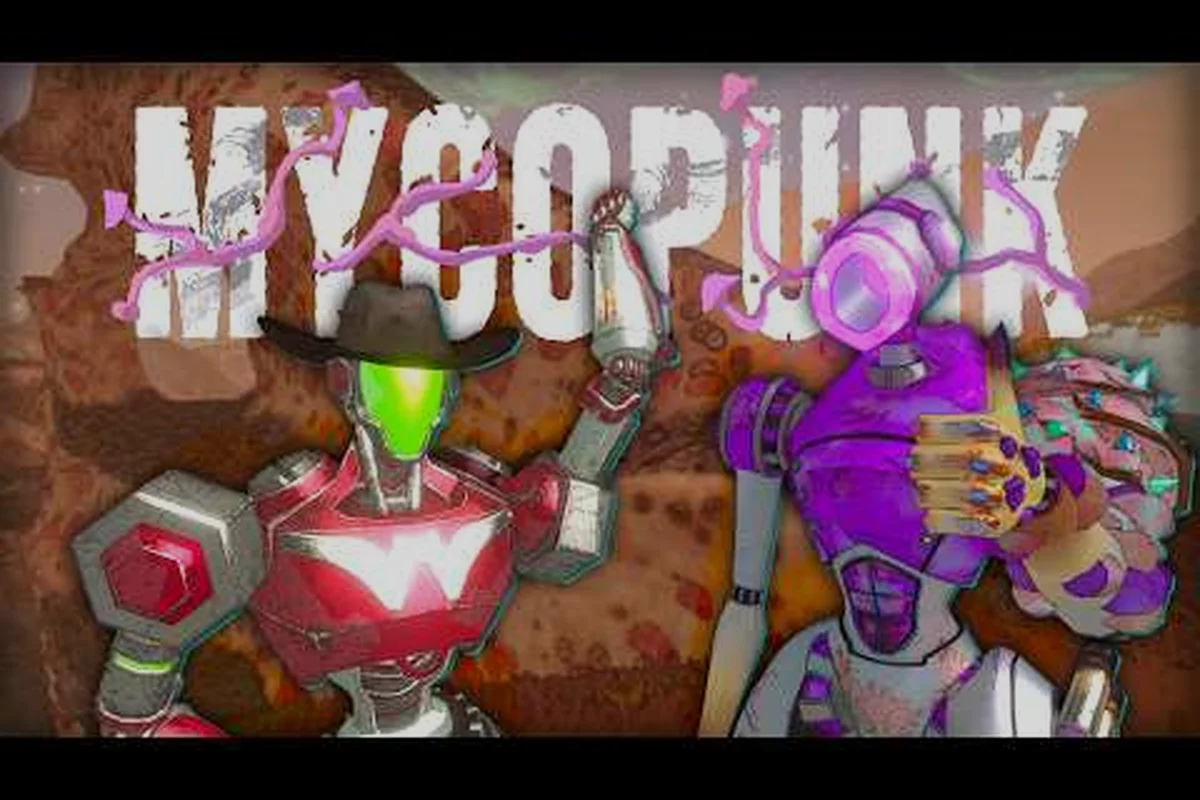
Co-op is the intended way to experience Mycopunk, and learning how to crew up properly separates a frustrating run from a clean, three-star extraction. This guide covers the practical basics of forming a squad, the platform realities of the lobby list, the preliminary mod support that shipped at 1.0, and the communication tools the developer has shipped so far.
Solo vs Co-Op: Which Way Should You Play?
Mycopunk is built from the ground up as a mission-based 4-player co-op looter shooter for PC and PlayStation 5. The whole economy — Antimass Substrate, Saxonite, Pattern Infusion, Strange Components, Turbocharge — is tuned around squad scaling. Playing solo is possible, but several systems tilt toward groups.
What the game gives you solo
The HUB orbital dropship is fully accessible alone. You can reroll cosmetics at Lottery Larry, browse the Codex, spend Strange Components at a Pattern Infuser, pick up Lottery Larry Tokens and grab a ride on the Blitseg hover bike without ever queuing with another player. The Lost Loot Terminal in the HUB also lets a solo player recover items from failed runs, which softens the sting of dying in a mission with no teammate to revive you.
Where co-op clearly wins
Co-op shines in modes that scale with squad size. Incursion (the player-level-13 unlock that feeds the Antimass Substrate economy), Ouroboros and Ouroboros Blitz (the 13-room roguelike short variant), Population Control, Abomination Assault, and Ground Zero all get noticeably easier with two or more employees trading aggro and reviving each other. Threat 7 content (where Saxonite drops at roughly a 60% rate) is brutal alone, and the developer's own posts frame it as a squad-first experience. Death Protection as a system only really pays off when at least one teammate is nearby to trigger it.
A quick solo-vs-coop comparison
| Aspect | Solo | Co-Op (2-4 players) |
|---|---|---|
| HUB access | Full | Full |
| Mission selection | All mission types | All mission types |
| Revives per life | None — full death | Multiple via teammates |
| Antimass Substrate flow | Slower without a full squad in Incursion | Faster at full squad size |
| Threat 7 viability | Punishing | The intended way |
| Custom emotes/communication | Limited — bots don't respond to emotes | Full — teammates see and react |
If you mainly want to learn the systems, the solo mission guide walks through objectives and HUB loops for one player. If you want to see how squad loadouts actually play together, skip straight to a public lobby.
Mycopunk Lobby List and Public Lobbies
Mycopunk launched 1.0 on 2026-10-20 for Windows PC (Steam) and PlayStation 5, confirmed by the official Mycopunk Steam page and the Devolver Digital "Out Now on PC and PlayStation 5" trailer. There is no Xbox or Switch version, and the developer has not announced one. Crossplay is a common community question, but the developer has not published or announced crossplay between PC and PS5 as of the 1.0 launch.
How the lobby list actually works in 1.0
Crew formation is lobby-based: you either join a friend's game directly, search for a public lobby in the lobby browser, or use an invite code. The developer has not published a skill-based ranked queue. At launch the lobby browser shows the mission type, threat level, region, host name, and current squad size at a glance.
Joining a public lobby is the fastest way to crew up with random Myopunks, especially for players without a stable friend group online — you browse, filter, join, and the host's invite code is what binds the squad together for that run.
| Step | Action | What you see |
|---|---|---|
| 1 | Open the lobby browser | List of available rooms |
| 2 | Filter by mission type, region, threat | Updated list with filters applied |
| 3 | Join an open slot | Brief loading screen |
| 4 | Wait for the host to launch | Mission countdown begins |
| 5 | Drop into the region | Standard mission flow |
Things the lobby list won't do for you
Voice chat is built into the game, so you do not need a third-party app to talk to your squad. It was added in the 1.9 update and uses the Discord social SDK as its voice backend, but a Discord account or Discord installation is not required; voice volume and push-to-talk options live in the audio settings, voice defaults to push-to-talk, and it can be switched to open-mic. Text chat is built in as well. The developer has not published an automatic fill or role-assignment system, and the lobby filter is a threat-level control rather than a region filter, so the lobby list can show rooms from any region. The developer has not published full public-lobby settings documentation either, so treat anything beyond the basic filters as community-tested behavior.
If you're hunting for a more detailed walkthrough of lobby settings, the public-lobbies guide covers the filter controls and what the developer has published about crossplay support. Specifically, that guide breaks down how the lobby browser's filters behave in practice, including why mixed-language lobbies can still appear during off-peak hours. It also documents how modded lobbies are labelled, and explains that the developer has not published an automatic fill or fallback system, so a solo player should not expect to be dropped into a partially-filled crew automatically. For players who want to verify the current public-lobby filter behavior before committing to a run, that page is the practical companion to this section.
Mycopunk Mods: What Ships At 1.0
Mod support is the single biggest differentiator between a quick launch co-op session and a long-running community. As of the October 2026 launch, Mycopunk has preliminary mod support on PC, courtesy of Pigeons at Play: the developer has implemented support for adding custom upgrades and sandbox mods. There is no Steam Workshop integration and no formal mod SDK at 1.0. The developer has not published console mod support for PS5, so this is a PC-side feature at 1.0.
What's officially supported
Mods in Mycopunk are scoped to the Windows PC Steam build. The official mod story at 1.0 is preliminary: the developer has implemented support for adding custom upgrades plus sandbox mods, and modded lobbies are part of that system. There is no Steam Workshop integration and no formal mod SDK at 1.0. The developer has not published console mod support for PlayStation 5, so a modded host cannot count on a console player joining a modded session.
| Platform | Mods available? | Source | Notes |
|---|---|---|---|
| Windows PC (Steam) | Preliminary support | Custom upgrades and sandbox mods | No Steam Workshop; no formal SDK |
| PlayStation 5 | Not published | N/A | No console mod support announced |
| Crossplay with modded PC host | Not published | — | Crossplay itself has not been announced |
Because mod support is preliminary and there is no Steam Workshop integration, installing mods is not a browse-and-subscribe flow. The developer has kept modded content sandboxed so that a modded lobby doesn't break the integrity of the Antimass / Pattern Infusion / Strange Components economy for the host's progression, and clicking a modded lobby shows its server-side mod list so you can inspect what the host is running.
What mods typically change in Mycopunk
What mods can change at 1.0 follows from the official scope rather than a published catalogue. The developer has confirmed support for adding custom upgrades and for sandbox mods, but has not published a list of approved mod content, a mod browser, or per-mod installation instructions.
-
Custom upgrades — the developer has implemented support for adding upgrades; the full list of what can be added is unpublished.
-
Sandbox mods — sandbox mods are named in official material, but the specific sandbox rules are unpublished.
-
Modded lobbies — clicking a modded lobby shows its server-side mods, so you can inspect what the host is running before you commit.
The developer has not published a closed list of what's "safe" to mod versus what will get a save flagged, and this guide will not invent one. Treat any modded session as separate from the vanilla progression economy until the developer documents otherwise.
Mod etiquette for co-op
A modded lobby is a modded lobby. If you join a public lobby and the host has mods loaded, you'll see them listed server-side. The host should announce the mod list in the lobby title, and joining players should check the server-side mod list before accepting. If you want a clean experience, filter for non-modded lobbies or host your own.
Mycopunk Communication: Built-In Voice, Text Chat, and Discord
Mycopunk has built-in voice chat, added in the 1.9 update. It uses the Discord social SDK as its voice backend, but you do not need a Discord account or a Discord installation to use it. Voice volume and push-to-talk options live in the audio settings, voice mode defaults to push-to-talk, and it can be changed to open-mic. Text chat is also built in, and the Mycopunk Discord remains an optional extra for scheduling and out-of-game chat.
How built-in voice and Discord fit together
Most random squads can coordinate with the built-in voice chat and text chat alone. Discord is still useful as an optional layer for finding a group before you launch: the official server's LFG channels are a common place to meet players, and a Discord call can carry conversation between matches. The in-game ping / marker (MMB by default) covers one-way directional calls, but it does not replace voice for identifying who spotted which enemy. A crew that uses built-in voice for callouts and the ping marker for locations gets the same coordination as a Discord squad without leaving the client.
| Layer | Tool | What it carries |
|---|---|---|
| Voice | Built-in voice chat (1.9) | Callouts, target marking, revive coordination |
| Voice (optional) | Discord | Out-of-game chat, finding a group |
| Text | Built-in text chat | Lobby coordination, short callouts |
| In-game pings | Ping / marker (MMB) | Direction, danger, regroup |
| In-game emotes | Sit Emotes | Non-verbal flavor only |
A typical crew-up flow looks like this: find a party in the Mycopunk Discord LFG channel, hop into a Discord voice channel or the game's built-in voice chat, send Steam invites from there, and use the in-game ping / marker for direction. Ping is genuinely useful — it carries a marker on screen, draws a line, and produces a sound cue that travels through walls in the audio mix.
What changes if you play without voice
If you queue solo into public lobbies and keep voice off, you can still finish missions. The ping / marker covers direction and basic danger calls. But specific calls — "I have the Amalgamation timer, kite to the right," or "I'm dropping Saxonite, someone grab it before the timer expires," or "Amalgamation spawn in 30 seconds, group up" — are easier with the built-in voice chat. Amalgamations have a 30-second timer in the encounter, and that window is the entire fight. Without voice, you're relying on text chat, which is slower.
Mycopunk Emotes as Communication
Sit Emotes are a separate, more limited channel. They're cosmetic — they let you sit, pose, wave, or otherwise perform a short animation for fun — and they don't carry any mechanical information. Teammates see them, but bots don't react to them and they don't ping the map. Treat them as flavor, not comms.
The separate non-verbal layer is the ping / marker (MMB), which covers the things emotes don't: "enemy there," "defend here," "loot here," "on my way." Combine the two and you can get through a mission without voice, but it's noticeably slower than using built-in voice or a Discord squad.
Crew Composition and Roles in Co-Op
A 4-player squad in Mycopunk uses the employee system — the developer uses "employee," not "class." At 1.0 there are five official employees: Glider (Rocket Salvo, Wingsuit), Scrapper (Grapple Pole, Jetpack), Bruiser (Nose Dive, Shield Projector), Wrangler (Rocket Lasso, Air Dash), and Mycologist (Sporelift, Fungal Skewer, Infection passive; unlocked via the Expedition Alpha rescue mission).
Role distribution at a glance
| Employee | Core kit | Best fit |
|---|---|---|
| Glider | Rocket Salvo, Wingsuit | Aerial DPS, kiting |
| Scrapper | Grapple Pole, Jetpack | Mobility, objective runner |
| Bruiser | Nose Dive, Shield Projector | Frontline, revive anchor |
| Wrangler | Rocket Lasso, Air Dash | Crowd control, displacement |
| Mycologist | Sporelift, Fungal Skewer, Infection passive | Sustained AoE, late-game unlock |
A balanced squad is two frontliners, one mobility, and one specialist. Three of one role is fine for Incursion speedruns, but Ouroboros and Abomination Assault generally want at least one Bruiser or Wrangler to hold a choke while the rest of the squad dumps damage.
The Mycologist is the new variable
Mycologist was added in 1.0 and is the only employee locked behind a rescue mission — Expedition Alpha. The developer has published only three official names tied to her: Sporelift (an ability), Fungal Skewer (an ability), and a passive called Infection. Her full upgrade tree, ability damage values, cooldowns, and tier breakpoints are unpublished as of October 2026. The developer has explicitly said they want players to discover her. If you want to play her, plan on doing the Expedition Alpha rescue first, and don't trust any wiki that claims to have a full tree — they don't.
For a full breakdown of every employee's kit, the characters list covers all five official employees side by side — their abilities, passive effects, and how each one fits into a solo versus a co-op squad composition. It's the best reference when you're deciding who to pair with the Mycologist after rescuing her from Expedition Alpha, since her Infection passive and Fungal Skewer behave very differently in a 2-player lobby with shared aggro than in a solo run.
Squad scaling and you
Threat 7 content is where squad composition stops being optional. The roughly 60% Saxonite drop rate at Threat 7 is meaningless if half the squad wipes in the first two minutes. A balanced squad with a Bruiser anchor can hold a chokepoint while Glider and Scrapper rotate damage. A four-Glider speedrun squad can clear faster, but one bad pull and the whole run collapses.
Communication Workflows That Actually Work
A good Mycopunk crew falls into a rhythm fast because the game's combat loop punishes hesitation — mutagen cooldowns, fungal spread timers, and lane-clearing waves only resolve cleanly when callouts land within 1–2 seconds of an event triggering. The crews that consistently clear Ouroboros Blitz (the 13-room short variant) and Incursion runs at high threat levels all use the same handful of patterns, because the encounter scripting is identical run-to-run: once a crew has burned the same spawn order into muscle memory, they stop talking about the small stuff and start spending their comms on the real decision points — when to pop the EMP mutagen, when to pull the boss off the healer, and when to sacrifice a revive so the DPS can finish the objective timer.
The pre-mission huddle
Right before the drop pod opens, the squad lead should fire off a quick verbal checklist so every crew member — including any pickup-group randoms who joined via the public lobby list — is on the same page about what they're walking into. This 30-second callout prevents the classic co-op wipe where one player rushed ahead with a sniper loadout into a close-quarters Bruiser map, or where someone teleported back to base mid-fight because they didn't realize the lobby host had no-respawn enabled for that run.
-
Mission type and region (e.g. "Ouroboros, Moldy Tundra, Threat 6")
-
Specific role asks ("need a Bruiser for the front line, flex on the back")
-
Any mods or server-side mod list changes loaded
-
Whether this is a no-respawn run
Those 30 seconds buy you real info — loadout conflicts (sniper on a CQC Bruiser map), no-respawn toggles, and mods that can soft-lock a run if a pickup-group random does not have the same server-side mod list. A two-line callout costs nothing mid-huddle but skips the five-minute regroup after a wipe, especially when the lobby host flips Ironman mode mid-mission.
Mid-mission call patterns
Three call patterns cover 80% of squad comms, and the breakdown is simple: voice calls name the threat and the action, ping calls mark the location, and whoever owns the 30-second Amalgamation timer becomes the de facto fight caller for that spawn window. On the Saxtonite drop, the looter speaks first because the window between drop and contest is shorter than the Amalgamation kite setup, so the voice call usually wins the race. For squad-wipe peel calls, ping-only play fails because bots converge from off-screen angles a mark can't describe, which is why the voice line carries the direction ("peel from south") and the danger ping carries the urgency.
| Situation | Voice call | Ping call |
|---|---|---|
| Amalgamation spawn | "Amalgam, 30-second timer, kite right" | Mark the spawn point |
| Saxonite drop | "Saxonite on the ground, loot fast" | Mark the loot |
| Squad wipe incoming | "Bots are grouping on me, peel" | Danger ping |
The 30-second Amalgamation timer is the single most important number in the game because it dictates role assignment for the entire kite phase: whoever calls it owns the 30-second countdown, tells teammates which direction to drag the Amalgam, and must re-call at the 10-second mark so off-screen players rotate back to the threat. If your crew doesn't have a clear "I have the timer" call, multiple players grab the same kite path, the Amalgam chains two off-screen waves together, and the squad bleeds revives until the wipe vote hits at 90 seconds. In solo vs co-op play, this single ownership rule is the sharpest divider between a matched random squad and a crewed-up run, because randos default to all pinging and nobody commits to a kite vector.
Post-mission hygiene
After the mission ends, the squad lands back in the HUB. This is when Pattern Infusion (spending Antimass at the Pattern Infuser), Turbocharge (spending Strange Components on exotic upgrades), and Lost Loot Terminal pickups happen. A crew that runs this loop together tends to keep upgrade parity, which matters because upgrade rarities at Standard / Rare / Epic / Exotic+ unlock at employee levels 3 / 8 / 16 / 30 respectively, with weapon-level rewards unlocking at level 32.
For a fuller breakdown of how Antimass and Strange Components feed into the upgrade parity the squad needs, the upgrade and crafting guide walks through the per-mission yields at each rarity tier, the soft caps where Turbocharge stops scaling past Epic, and the order in which you should funnel resources through the Pattern Infuser so the crew's Strange Components pool doesn't bottleneck before someone hits employee level 30.
Frequently Asked Questions
Does Mycopunk have crossplay between PC and PS5?
The developer has not published or announced crossplay between PC and PS5 as of the 1.0 launch. The Steam and PS5 builds share the same patch cycle, but the developer has not said whether the two player pools are connected. Check the official 1.0 Known Issues list and the developer's channels for the most current status.
How do I invite friends to a Mycopunk co-op session?
Open the lobby browser, host a public or friends-only lobby, and send a Steam invite. There is no friend-list deep link in the client. Most crews coordinate the invite in a Discord voice channel first, then accept the Steam invite while in voice.
Can I use mods in Mycopunk on PS5?
The developer's preliminary mod support is scoped to the Windows PC Steam build at 1.0, and it does not use Steam Workshop. There is no formal mod SDK, and the developer has not published console mod support for PS5. If you join a PC host's modded lobby from a PS5 account, treat it as unsupported, because the developer has not described how mods would surface on console.
What is the best squad size for Mycopunk?
Four players is the intended squad size. Three works for most missions. Two is the floor for Incursion and Ouroboros content, and solo is viable but slow. Threat 7 and Abomination Assault are designed around a full four-player squad.
Do Mycopunk emotes affect gameplay?
No. Sit Emotes are cosmetic only. They let you pose, sit, or wave at teammates, but they do not trigger any in-game system, and bots do not respond to them. The ping / marker (MMB) is the in-game non-verbal channel that carries mechanical information.