
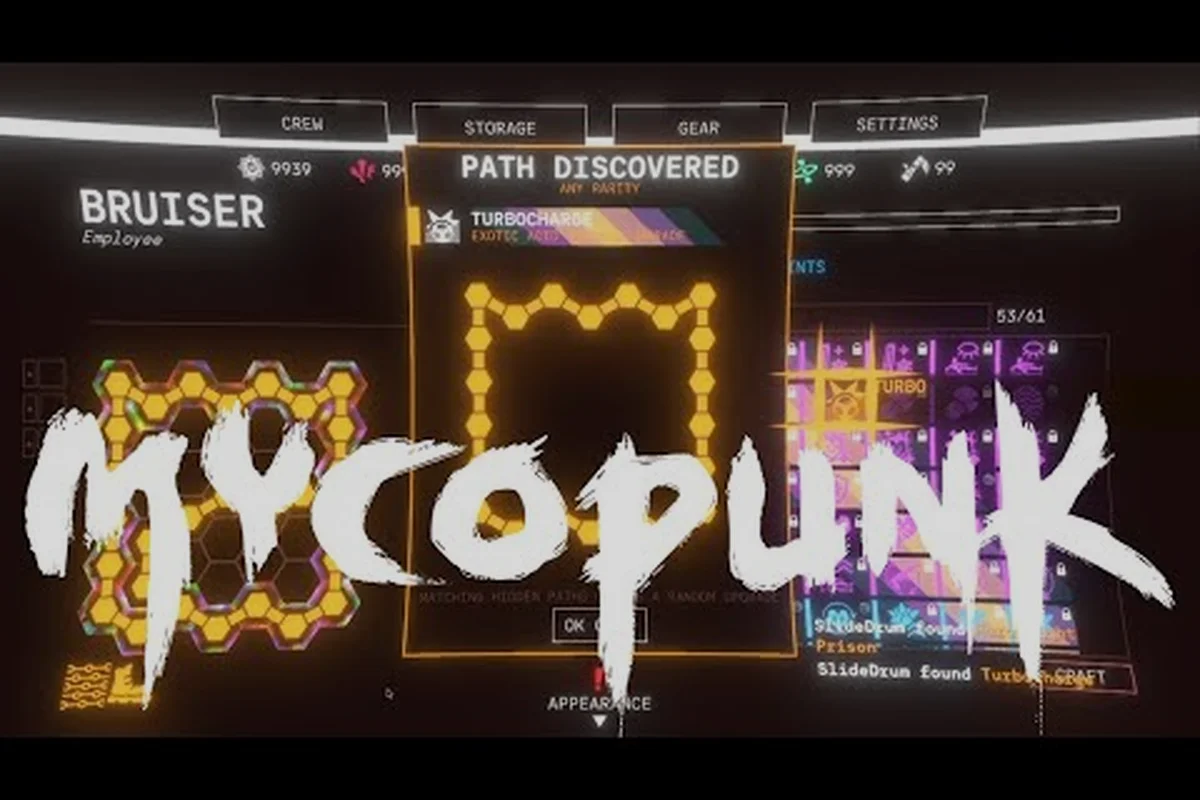
The Mycopunk Lost Loot Terminal sits inside the HUB dropship, and it is the single official channel for recovering rewards that failed to drop on a prior run. Because the title launched on October 20, 2026, and 1.0 introduced the reworked HUB plus a new Fulfillments cosmetic system, understanding the Lost Loot Terminal early saves hours of confused inventory-checking. This guide explains how the terminal works, where to find the Mycopunk data logs and the broader Mycopunk all achievements checklist, and how both Steam and PS5 players should plan their unlocks without chasing bugs the developer has already acknowledged.
How the Mycopunk Lost Loot Terminal Works
The Lost Loot Terminal is an in-HUB kiosk that holds items your account earned during missions but that the drop pipeline never delivered to your inventory. Most commonly, this happens when a squad wipes during a Saxonite Transport, when the server hiccups at the end of a Prized Possession run, or when the post-mission screen times out before a Hat or Strange Component is awarded. Whatever the cause, the terminal absorbs the orphan item so it is not lost forever.
| Update version & date | Trigger added or fixed in the Lost Loot Terminal flow | Verified by |
|---|---|---|
| Update 1.8.7 — Rainbow skins for every employee (Jun 3 2026) | One of each new Rainbow skin is auto-placed in the terminal once a player starts the game after reaching player level 3; skins also drop randomly with modifiers | Official Steam announcement (appid 3247750) |
| Update 1.9.6 — Incursion fungus and Codex data log fix (Jul 2 2026) | Indirect: fixes the Codex error when opening the window before discovering any data logs, which is the most common reason new players wander into the terminal to verify missing log progress | Official Steam announcement (appid 3247750) |
| Procedural Levels BETA — beta branch and Legacy Missions (Apr 4 2026) | Saxonite Transport's barrel sorting continued balancing; new side objectives on procedural levels can strand extra loot in the terminal if the post-mission screen times out | Official Steam announcement (appid 3247750) |
| 1.0 launch (2026-10-20) | Terminal re-introduced in its current HUB-kiosk form as the safety net for Hats, Strange Components, and un-credited Prized Possession / Saxonite Transport payouts | Official store page and 1.0 launch notes (appid 3247750) |
| Update 1.2 — Backlog tiered reward program | Backlog tier claims feed the terminal instead of stalling late-game progression when a single shift in the highest threat band fails | Official patch notes referenced in the late-game progression section |
What Lands in the Terminal
Not everything is rerouted here. The terminal only catches rewards that the backend confirms as earned but that the client's local inventory never registered, meaning the server-side ledger has a matching entry for an Antimass Substrate Pattern Infusion or a Turbocharge Strange Component but the player's HUD never showed the pickup prompt. This is why Saxonite farming runs, completion-based Fulfillments, and late-run Codex page unlocks are the most common terminal occupants — their delivery chain passes through more handshake steps than a standard enemy drop, so a single desync strands them in the safety net instead of the loot feed.
-
Pattern Infusion rewards from the Antimass Substrate
-
Strange Components saved by the Turbocharge system
-
Cosmetic Hats tied to Fulfillments
-
Codex pages that would otherwise register as Mycopunk data logs
Items that simply did not drop — meaning the mission never produced them — are not in the terminal. The system only intercepts rewards that the server already issued but the local inventory failed to register, so a Saxonite node you skipped or an enemy you never damaged cannot be retroactively granted. Think of the terminal as a delivery safety net for handshake failures between backend ledger and client HUD, not a duplicate farm for missed encounters or a substitute for actually completing Antimass Substrate or Turbocharge objectives.
When to Check It
A good habit is to step into the HUB after every two or three missions and look at the terminal before launching the next drop pod. Doing it at the Drop Pod is especially valuable when running an Ouroboros run, because Contraband and Oddity rarities can only be obtained there and a missed Contraband may not reroll for a long time. Players who farm Threat 7 for Saxonite should also check between runs: the approximate 60% Saxonite drop rate at Threat 7 means roughly two in five stacks will be partial, and the terminal sometimes holds the missing portion.
Players new to the HUB can also brush up on related systems in the Mycopunk beginner guide, which covers how the HUB, drop pod, and cargo pod interconnect to move items between missions. The terminal is most useful as a safety net for Saxonite partial stacks, rare Contraband from Ouroboros runs, and any Oddity that rolled on the run's reward table but wasn't manually grabbed before extraction.
Limits and Cooldowns
The terminal pulls from a bounded queue. There is no per-day cap published by the developer, but the queue itself is finite and empties as you claim items. If the queue is empty, the terminal simply shows nothing — that is normal and not a bug. Re-logging, switching between codex tabs, or restarting the client sometimes flushes items that were still in transit at the moment of the previous login, especially on PS5 where suspension mode can interrupt delivery.
Mycopunk Data Logs and Codex Tracking
Data logs are the in-fiction flavor text that fill the Codex, and they are the most common reason new players wander into the Lost Loot Terminal. Every mission type, region, and named NPC has a set of log entries that unlock as you progress, and several Fulfillments are gated behind collecting a threshold number of them. The Mycopunk data logs system is the closest thing the game has to a lore achievement track.
| Data log category | Source location | Codex entry count threshold that gates a Fulfillment | Terminal interaction |
|---|---|---|---|
| Mission-type logs | Every mission type (Incursion at level 13, Ouroboros, Ouroboros Blitz's 13 rooms, Escalation, Oxythane Breach, Paid Time Off, Prized Possession, Saxonite Transport, Planetary Defense, Population Control, Ground Zero, Amalgamation Hunt, Abomination Assault, Expedition Alpha, The Couch) | Threshold not officially published; the developer has not published the Fulfillment list | Stranded Codex progress lands in the terminal when the post-mission screen times out, which is the most common reason new players visit the kiosk |
| Regional logs | Gravity Farm, Moldy Tundra (Sunken Highlands variant), Ice Floes, The Swamp, Flourishing Desert, Titan City (City Outskirts variant), and the X11-B moon of New Atlas (1.0 high-difficulty region with periodic EM storms that disable abilities) | Threshold not officially published | Regional logs tied to a failed X11-B run are the most frequent terminal visitors because the EM storms can wipe the squad before extraction |
| Named NPC logs | Roachard Cox, Lottery Larry, Battery Barry, Golden Bruce, Hunk, Terry | Threshold not officially published | NPC log flags lost to a server hiccup at the end of a Prized Possession run reappear in the terminal alongside Battery Barry's rescue token |
| Weapon / item logs | 1.0 entries for the Diffraction Driver (level 10 unlock) and the Snowball Grenade (X11-B unlock) | Threshold not officially published; full upgrade lists for both items are unpublished per the 1.0 launch notes | A stranded Diffraction Driver or Snowball Grenade log can be reclaimed at the terminal without re-rolling the weapon at Lottery Larry |
How Data Logs Unlock
Data logs drop in three ways. First, completing a mission for the first time at a given threat level guarantees the region's primary log. Second, optional objectives inside missions — for example, scanning the optional beacons in the City or Titan City outskirts — grant secondary logs. Third, a small number of logs are tied to Fulfillments rather than to missions, which means they are awarded by the terminal-style reward pipeline after a fulfillment target is met.
Why Some Logs Never Appear
If a data log is listed in the Codex as locked but the related mission has been completed, the entry is likely sitting in the Lost Loot Terminal. This is by far the most common source of "missing log" reports, because the Codex updates asynchronously — a server tick can confirm the log minutes before your client renders the notification. Claiming the terminal first, then closing and reopening the Codex, forces a resync.
The second most common reason is bug state. The 1.0 Known Issues list includes a specific Cranius-related achievement that will not unlock, and the developer has confirmed that some Fulfillment progress trackers are also stalled. If a data log is tied to one of those affected chains, the player has done everything correctly; the fix is on the developer's side.
Mycopunk All Achievements: Scope and Difficulty
The Mycopunk all achievements count sits at 48 total, split across Steam achievements for PC and trophies for PS5. The two lists are not identical — platform-exclusive cosmetics and minor wording differences mean the trophy guide for PS5 contains entries that the Steam list folds into a single shared achievement — but the gameplay requirements overlap by roughly 90%.
Achievement Categories
Achievements broadly fall into four buckets. Progression achievements unlock as you hit player-level milestones, weapon-level thresholds, and region-completion targets. Mission-type achievements require finishing every listed mission type at least once, including the 1.0 additions Population Control, The Couch, and the 13-room Ouroboros Blitz. Challenge achievements demand specific feats such as rescuing all Prized Possessions, defeating an Amalgamation within its 30-second timer, or extracting with a Bunker Buster threshold met. Cosmetic achievements cover Fulfillments and the Hat collection that the 1.0 system launched with.
Threat and Region Gating
Roughly one in four achievements requires a specific threat level. The Mycopunk threat level scale runs 1 to 7, with threat 7 reserved for the toughest mission rotation and the only tier where Saxonite's roughly 60% drop rate is reliable for progression purposes. Two achievements are region-locked to X11-B, the moon of New Atlas introduced in 1.0; X11-B's periodic electromagnetic storms disable abilities, so achievement runs there are best done with a coordinated squad rather than solo.
If a player needs help planning around these milestones, the Mycopunk upgrade crafting guide covers how the Antimass Substrate and Pattern Infusion ladder feed into the higher weapon-level thresholds that gate several progression achievements.
Mycopunk Steam Achievements Walkthrough
The Steam list of Mycopunk all achievements is the more complete of the two, because the Steamworks backend exposes the full set from day one. PC players should treat the Lost Loot Terminal as part of the achievement pipeline, not as a separate system.
Recommended Achievement Order
-
Reach player level 5 and weapon level 8 to unlock the Standard and Rare upgrade rotation bands.
-
Clear every region at threat 3 to bag the regional completion achievements.
-
Run a full Prized Possession, a Saxonite Transport, and a Planetary Defense at threat 5 to satisfy the mission-type achievements.
-
Push to threat 7 and farm Saxonite to fuel Pattern Infusion; this stage is where Saxonite farming doubles as progression.
-
Attempt the two X11-B achievements once you have a coordinated squad and a Diffraction Driver unlocked at level 10.
-
Spend Antimass at the Pattern Infuser to hit the 30-level cap, which triggers the cap-related achievement.
Saxonite Farming and the Terminal
Saxonite is the resource most often tied to terminal claim events, because high-volume farming means frequent drop events, and frequent drop events mean more opportunities for the client to miss a packet. Players searching for a Mycopunk how to farm saxonite routine should plan around the terminal, not against it: do a long Threat 7 block of three to five missions, then dock at the HUB and claim the terminal before the next block. Doing so converts partial payouts into clean stacks and prevents a long grind from stalling because of one disconnected packet.
For broader efficiency work, the Mycopunk how to farm upgrades breakdown covers the Antimass Substrate economy, Strange Components, and which mission types return the best upgrade density for time invested — and because the same packet-loss bug that strands Saxonite in the lost loot terminal also clips Strange Component payouts from Threat 7 elites, the upgrade guide pairs well with the terminal-claim cadence above.
Bug-Aware Achievement Hunting
Three known issues at launch can stall Steam achievement progress even when the gameplay requirement is met. The Cranius achievement remains listed as not unlocking in the 1.0 Known Issues, two Fulfillments (the relay tower activation chain and the Saxitos rescue chain) are not progressing as intended, and a Bunker Buster threshold counter is mis-firing at certain stacks. Track these on the Steam community forum as well, because the developer is publishing small patches that gradually retire items from the Known Issues list.
Mycopunk PS5 Trophy Guide Specifics
The Mycopunk PS5 trophy guide covers the same gameplay milestones as the Steam list but adds two platform-specific entries. The first is a Platinum trophy for completing the full set, which Steam does not have an equivalent of. The second is a small handful of activity trophies tied to PS5-specific features such as suspend mode and trophy-tracker screenshots.
Cross-Platform Save Behavior
Mycopunk does not support cross-progression between Steam and PS5 as of 1.0. A Steam save cannot be uploaded to a PS5 profile, and vice versa. The Lost Loot Terminal queue is per-account on the platform where the items were earned, so a Steam player who also plays on PS5 will need to clear the terminal on both platforms. Players with the Supporter Pack DLC should be especially careful: the Chrome skin unlocks as a Steam inventory item and as a PS5 entitlement, but the two entitlements are not linked, and re-rolling through Lottery Larry on one platform does not affect the other.
Trophy-Specific Tips
PS5 players get the most out of the trophy system by setting up automatic screenshot capture for first-time Hat unlocks, because several Fulfillments reward cosmetic Hats that the Codex page will display but that the trophy tracker will not list by name. Capturing the first moment each Hat drops makes it easy to audit which Fulfillments still need progress without diving into the Codex each session. Suspend mode is the other PS5 consideration: if the system enters rest mode while a mission is wrapping up, the post-mission reward screen can be interrupted, which is one of the documented paths for items landing in the Lost Loot Terminal.
Players who prefer to plan trophy routes around the harder content can also reference the Mycopunk advanced guide for high-threat rotations and squad-role advice, both of which feed into the late-game trophy milestones tied to X11-B and the Ouroboros runs.
Known PS5 Edge Cases
The 1.0 Known Issues list does not separate PC and PS5 problems, but the community has reported that the Mycologist's cape cosmetic is missing on PS5 in addition to PC, and that PS5 players are more likely to encounter the "achievement unlocked" notification firing several minutes after the in-game event due to PSN's trophy sync timing. Both are cosmetic or display issues rather than blockers, and they are being tracked by the developer.
Endgame Progression After the Achievement Set
Once the main achievement set is complete, the game keeps progression moving through Antimass-heavy builds, Exotic+ upgrades unlocked at the employee level 30 cap, and the Backlog tiered reward program added in 1.2. The Lost Loot Terminal continues to function as a safety net at this point, and it becomes especially relevant during the Contraband runs in Ouroboros, where the upgrade tier is otherwise unreachable.
| Trigger scenario | What the pipeline normally delivers | What the Lost Loot Terminal actually holds | Recovery action available to the player |
|---|---|---|---|
| Squad wipes mid-mission during a Saxonite Transport | Saxonite haul, Strange Components, and any Hat rolled from the end-of-mission table | The full un-dispensed payload, including the uncollected Saxonite (Threat 7 ≈ 60% drop chance per run) and any rolled Hat | Re-claim at the HUB kiosk before the next deployment; pair with the Antimass-heavy late-game loop so solo queues in Ouroboros don't stall |
| Post-mission screen times out after a Prized Possession run (Battery Barry rescued) | Prized Possession completion credit plus Antimass Substrate | Battery Barry's rescue token and the tied Antimass payout, with the Hat roll stranded | Open the terminal immediately on return to the HUB; the token is the only way to retroactively credit that shift |
| Server hiccup at the end of an Incursion run (unlocks at player level 13) | Antimass Substrate plus first Pattern Infusion fuel | The Antimass cache that the drop pipeline dropped, which would otherwise block the Exotic+ tier reached at the employee level 30 cap | Claim before queuing another Incursion, since the terminal cap is consumed FIFO |
| Hat or Strange Component awarded after a disconnect on Contraband-tier Ouroboros | A Contraband-rarity upgrade (Ouroboros-exclusive) or Hat | The Contraband item itself, which cannot be re-rolled at Lottery Larry without re-entering the run | Terminal claim is the only path that preserves the Contraband tag; re-running is not guaranteed to reproduce it |
Players tackling the highest-end content should also remember that the Diffraction Driver — the 1.0 ion scattergun that unlocks at level 10 — is the only weapon whose alt-fire behavior has been officially described in detail: holding alt-fire spins up its halo to tighten the cone and extend range, which is a separate control from its default short-range cone. The developer's only published detail for the Snowball Grenade, also 1.0 content unlocked from X11-B, is that a favorite upgrade lets you "roll it down a hill to gain size like a cartoon." Beyond those two specifics, the developer's 1.0 launch notes explicitly state that the upgrade list for these items is being kept under wraps. Any guide that names additional upgrades for them is filling space with invention.
Players running solo sessions, particularly on the higher threat tiers, can lean on the Lost Loot Terminal as a recovery buffer when Antimass income drops off between Contraband runs in Ouroboros, and the Mycopunk how to play solo walkthrough pairs well with that safety net, covering pacing windows around the level 30 employee cap, Exotic+ upgrade priorities, and how to time Backlog tier claims so a single failed shift in the highest threat band still feeds into the terminal instead of stalling late-game progression.
Frequently Asked Questions
What is the Mycopunk Lost Loot Terminal for?
The Lost Loot Terminal is a HUB kiosk that holds rewards your account earned during missions but that the client never registered in your inventory. It catches items the delivery pipeline lost, including Pattern Infusion payouts, Strange Components, Hats, and Codex pages. If a Codex entry, achievement, or Hat seems missing after a successful run, the terminal is the first place to check.
How do I farm Saxonite efficiently in Mycopunk?
The most efficient Saxonite farming targets Threat 7 missions because Saxonite's drop rate is roughly 60% there. Run blocks of three to five Threat 7 missions back-to-back, then dock at the HUB to claim the Lost Loot Terminal and convert partial payouts into full stacks. Repeat the block rather than mixing threat tiers, because Threat 7 also returns the highest Antimass Substrate density per minute.
How many achievements does Mycopunk have in total?
Mycopunk ships with 48 achievements, with the Steam list and the PS5 trophy list covering the same gameplay requirements and a small number of platform-specific extras. PC players see the full set on Steam, while PS5 players get an additional Platinum trophy for completing the full set.
What is the fastest way to clear the Mycopunk all achievements list?
Work through threat 3 first to clear the regional completion achievements, then push to threat 5 for the mission-type achievements, then to threat 7 for the Saxonite-and-Progression milestones. Save the two X11-B achievements for last so that you have a coordinated squad and the Diffraction Driver at level 10 before you attempt them.
Is there a separate Mycopunk PS5 trophy guide I should follow?
The PS5 trophy guide covers the same milestones as the Steam list and adds a Platinum trophy plus a few PS5-specific activity trophies. Trophy progress is not shared with Steam, so you must complete the full set on each platform. Set up suspend mode carefully, because rest mode during the post-mission screen is a known path for items landing in the Lost Loot Terminal.